WORKED EXAMPLE · SCANNED PDF TO EXCEL
50 pages of scanned invoices into a checked AP ledger
An accountant received a 50-page scanned PDF of invoices for a council meeting. They asked to turn it into an accounts payable ledger in Excel, one row per invoice, with every amount read from the scanned invoice itself.
read the scan, built the ledger with a total and a check against the cover memo, and the numbers matched to the cent. Then, in the same Excel file, it added a GL category for each invoice and a summary sheet that adds back to the total.
1The upload: a 50-page scanned PDF, a cover memo and nine invoices
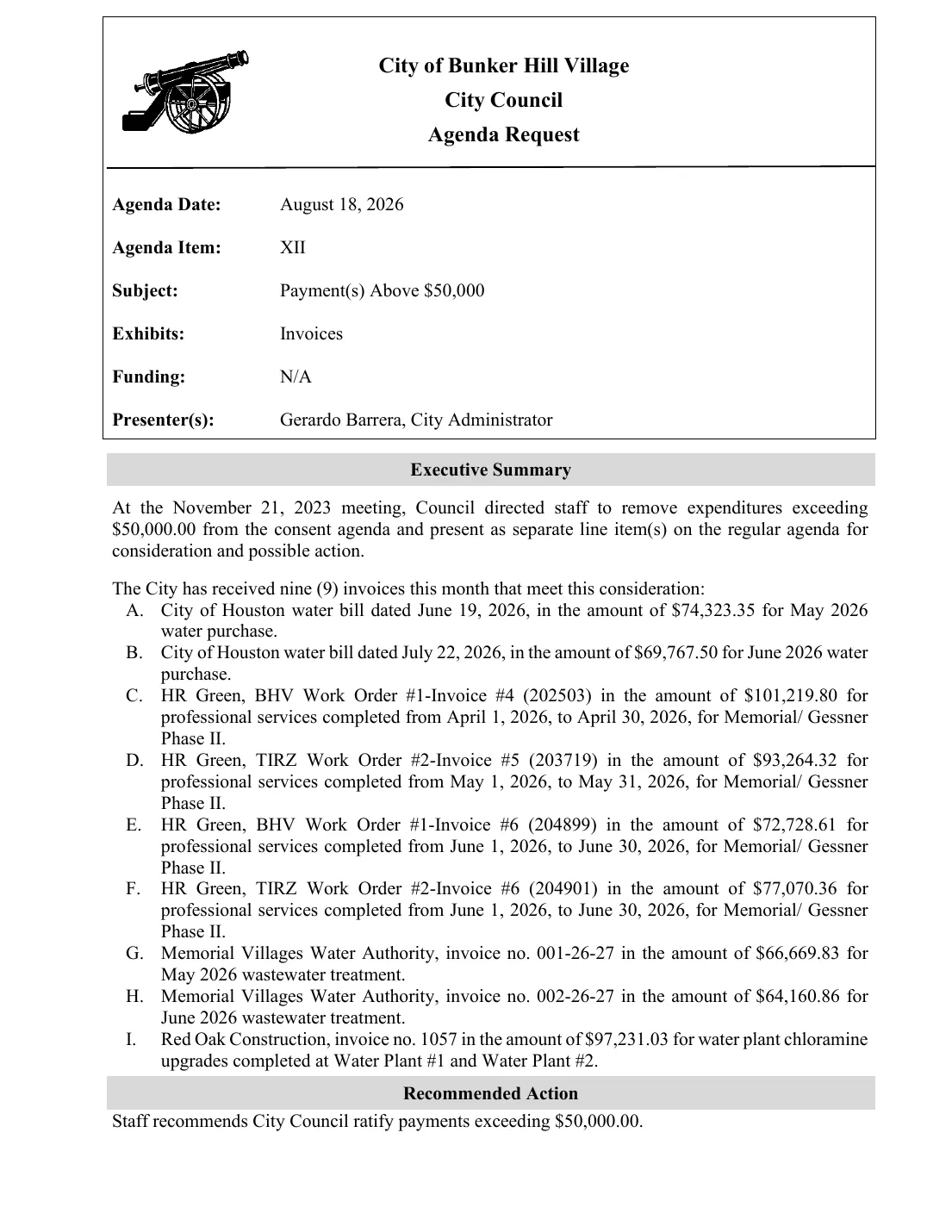
City of Bunker Hill Village · Agenda Request
Item XII · Payment(s) Above $50,000
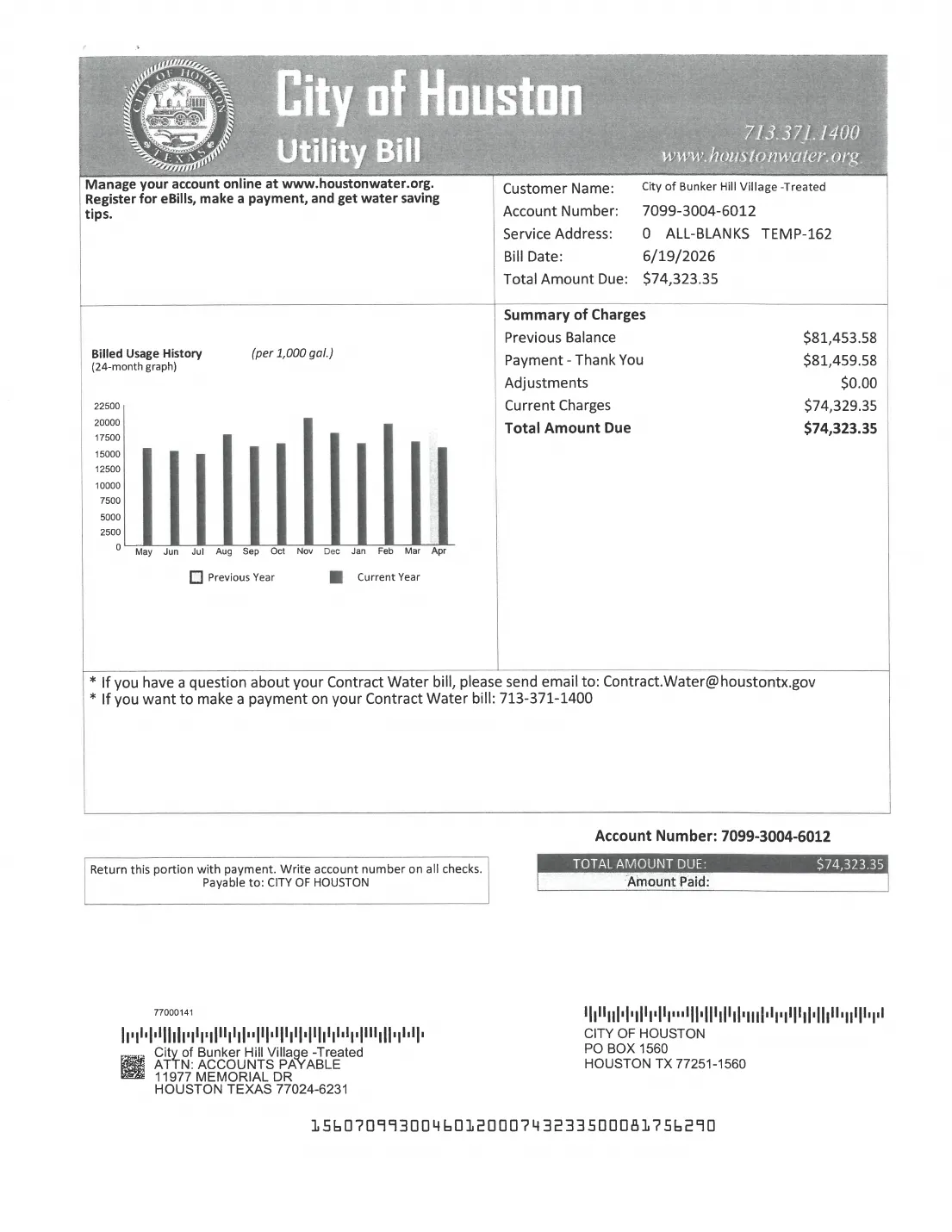
A. City of Houston water bill $74,323.35
B. City of Houston water bill $69,767.50
C. HR Green, BHV WO#1 Inv. #4 $101,219.80
D. HR Green, TIRZ WO#2 Inv. #5 $93,264.32
E. HR Green, BHV WO#1 Inv. #6 $72,728.61
F. HR Green, TIRZ WO#2 Inv. #6 $77,070.36
G. Memorial Villages Water Auth. $66,669.83
H. Memorial Villages Water Auth. $64,160.86
I. Red Oak Construction $97,231.03
- 50scanned pages read
- 9invoices found and entered
- $0.00difference from the memo
- 1Excel file, edited again for request 2
Open the real files
These are the actual files from the run. Download them and open them in Excel.
Where the file comes from: City of Bunker Hill Village, Texas, City Council packet for 18 August 2026, agenda item XII, "Payment(s) Above $50,000". A public record.
01 · THE STARTING FILE
A typed memo, then 49 pages of scans
Page 1 is a typed memo that lists nine invoices, A to I, each over $50,000. Pages 2 to 50 are scans: water bills, engineering invoices with their approval memos and sub-contractor backup, wastewater bills with flow records, and a construction invoice.
The scanned pages are pictures with no text in them. read them with text recognition (OCR) first, after asking which language they were in. The PDF itself was not changed.
02 · REQUEST 1
"Build an AP ledger, one row per invoice"
What the accountant typed
This PDF is Item XII ('Payment(s) Above $50,000') from the Bunker Hill Village council packet for 18 August 2026. Page 1 is the typed cover memo listing nine invoices, A to I. Pages 2-50 are scans of those invoices plus backup (TGC approval memos, sub-consultant invoices, status reports, water flow records).

Please build an AP ledger in Excel with one row per memo item A-I. Do not add rows for the sub-consultant invoices (United Engineers, TEI, Cypress Environmental) - they are backup inside the HR Green packages. Columns:
1. Memo item (A-I)
2. Vendor
3. Invoice no. (for the City of Houston bills, use the account number)
4. Invoice / bill date
5. Service period or description
6. Amount due - read from the scanned invoice itself, not the memo
7. PDF page of the invoice's first page

Add a total row, and a reconciliation line showing the memo total, the ledger total and the difference.
What did
- Found the first page of each of the nine invoices in the scan, and noted its PDF page.
- Read each amount from the invoice itself, not from the memo, as asked.
- Left out the sub-contractor invoices tucked inside the engineering packages, as asked.
- Made a new Excel file with one row per memo item, A to I.
- Added a total that is a formula, and three check lines: memo total, ledger total, difference. Click a green cell below to see one.
=SUM(F3:F11)| A | B | C | D | E | F | G | |
|---|---|---|---|---|---|---|---|
| 1 | Bunker Hill Village - Council 18 Aug 2026 - Item XII Payments Above $50,000 - AP Ledger (one row per memo item A-I) | ||||||
| 2 | Memo item | Vendor | Invoice no. (City of Houston = account no.) | Invoice / bill date | Service period or description | Amount due (USD, from scanned invoice) | PDF page (invoice first page) |
| 3 | A | City of Houston | 7099-3004-6012 | 06/19/2026 | May 2026 water purchase - treated water | 74323.35 | p.2 |
| 4 | B | City of Houston | 7099-3004-6012 | 07/22/2026 | June 2026 water purchase - treated water | 69767.5 | p.4 |
| 5 | C | HR Green, Inc. (BHV Work Order #1) | 202503 | 05/19/2026 | Professional services 04/01/2026-04/30/2026, Memorial/Gessner Phase II (Proj 2502530.01/.02) | 101219.8 | p.7 |
| 6 | D | HR Green, Inc. (TIRZ Work Order #2) | 203719 | 06/18/2026 | Professional services 05/01/2026-05/31/2026, Memorial/Gessner Phase II (Proj 2502530.03/.04) | 93264.32 | p.25 |
| 7 | E | HR Green, Inc. (BHV Work Order #1) | 204899 | 07/15/2026 | Professional services 06/01/2026-06/30/2026, Memorial/Gessner Phase II (Proj 2502530.01/.02) | 72728.61 | p.33 |
| 8 | F | HR Green, Inc. (TIRZ Work Order #2) | 204901 | 07/15/2026 | Professional services 06/01/2026-06/30/2026, Memorial/Gessner Phase II (Proj 2502530.03/.04) | 77070.36 | p.41 |
| 9 | G | Memorial Villages Water Authority | 001-26-27 | 06/01/2026 (due 07/10/2026) | May 2026 wastewater treatment | 66669.83 | p.46 |
| 10 | H | Memorial Villages Water Authority | 002-26-27 | 07/01/2026 (due 08/10/2026) | June 2026 wastewater treatment | 64160.86 | p.48 |
| 11 | I | Red Oak Construction LLC | 1057 | 04/30/2026 (due 06/03/2026) | BHV Water Plant #1-2 Chloramine Upgrades | 97231.03 | p.50 |
| 12 | TOTAL (ledger) | 716435.66 | |||||
| 13 | |||||||
| 14 | Memo total (sum of memo items A-I) | 716435.66 | |||||
| 15 | Ledger total (SUM formula cell reference) | 716435.66 | |||||
| 16 | Difference (Ledger - Memo) | 0 | |||||
We checked it against the scans: all nine amounts, invoice numbers and page numbers are right, and the ledger total of $716,435.66 equals the memo total.
03 · REQUEST 2
"Now add GL categories and a summary"
What the accountant typed
In the same workbook, extend the ledger:
1. Add a 'GL category' column using these categories: Water purchase; Wastewater treatment; Engineering - Memorial/Gessner Ph II - BHV Work Order #1; Engineering - Memorial/Gessner Ph II - TIRZ Work Order #2; Capital - water plant.
2. Add a 'Handwritten notes' column: transcribe any handwriting on that item's pages (e.g. marks on the TGC approval memo or the invoice itself). Write 'none' if there is no handwriting, and 'illegible' if you can't read it - please don't guess. Typed 'Approved by' stamps don't count.
3. Add a 'Summary' sheet with SUMIF totals by GL category, and a check that the category totals add back to the ledger total.

Don't change the turn-1 rows or amounts.
What did
- Opened the ledger it had just made and edited that same Excel file.
- Added a "GL category" column, using only the five categories the accountant gave.
- Added a new "Summary" sheet: one SUMIF formula per category, a total, and a check that comes to 0.
- Did not change any row or amount from request 1. We checked every cell.
Water purchase| A | B | C | D | E | F | G | H | |
|---|---|---|---|---|---|---|---|---|
| 1 | Bunker Hill Village - Council 18 Aug 2026 - Item XII Payments Above $50,000 - AP Ledger (one row per memo item A-I) | |||||||
| 2 | Memo item | Vendor | Invoice no. (City of Houston = account no.) | Invoice / bill date | Service period or description | Amount due (USD, from scanned invoice) | PDF page (invoice first page) | GL category |
| 3 | A | City of Houston | 7099-3004-6012 | 06/19/2026 | May 2026 water purchase - treated water | 74323.35 | p.2 | Water purchase |
| 4 | B | City of Houston | 7099-3004-6012 | 07/22/2026 | June 2026 water purchase - treated water | 69767.5 | p.4 | Water purchase |
| 5 | C | HR Green, Inc. (BHV Work Order #1) | 202503 | 05/19/2026 | Professional services 04/01/2026-04/30/2026, Memorial/Gessner Phase II (Proj 2502530.01/.02) | 101219.8 | p.7 | Engineering - Memorial/Gessner Ph II - BHV Work Order #1 |
| 6 | D | HR Green, Inc. (TIRZ Work Order #2) | 203719 | 06/18/2026 | Professional services 05/01/2026-05/31/2026, Memorial/Gessner Phase II (Proj 2502530.03/.04) | 93264.32 | p.25 | Engineering - Memorial/Gessner Ph II - TIRZ Work Order #2 |
| 7 | E | HR Green, Inc. (BHV Work Order #1) | 204899 | 07/15/2026 | Professional services 06/01/2026-06/30/2026, Memorial/Gessner Phase II (Proj 2502530.01/.02) | 72728.61 | p.33 | Engineering - Memorial/Gessner Ph II - BHV Work Order #1 |
| 8 | F | HR Green, Inc. (TIRZ Work Order #2) | 204901 | 07/15/2026 | Professional services 06/01/2026-06/30/2026, Memorial/Gessner Phase II (Proj 2502530.03/.04) | 77070.36 | p.41 | Engineering - Memorial/Gessner Ph II - TIRZ Work Order #2 |
| 9 | G | Memorial Villages Water Authority | 001-26-27 | 06/01/2026 (due 07/10/2026) | May 2026 wastewater treatment | 66669.83 | p.46 | Wastewater treatment |
| 10 | H | Memorial Villages Water Authority | 002-26-27 | 07/01/2026 (due 08/10/2026) | June 2026 wastewater treatment | 64160.86 | p.48 | Wastewater treatment |
| 11 | I | Red Oak Construction LLC | 1057 | 04/30/2026 (due 06/03/2026) | BHV Water Plant #1-2 Chloramine Upgrades | 97231.03 | p.50 | Capital - water plant |
| 12 | TOTAL (ledger) | 716435.66 | ||||||
| 13 | ||||||||
| 14 | Memo total (sum of memo items A-I) | 716435.66 | ||||||
| 15 | Ledger total (SUM formula cell reference) | 716435.66 | ||||||
| 16 | Difference (Ledger - Memo) | 0 | ||||||
=SUMIF('AP Ledger - Item XII'!H3:H11,A3,'AP Ledger - Item XII'!F3:F11)| A | B | |
|---|---|---|
| 1 | Summary by GL category (SUMIF from AP Ledger - Item XII) | |
| 2 | GL category | Total (USD) |
| 3 | Water purchase | 144090.85 |
| 4 | Wastewater treatment | 130830.69 |
| 5 | Engineering - Memorial/Gessner Ph II - BHV Work Order #1 | 173948.41 |
| 6 | Engineering - Memorial/Gessner Ph II - TIRZ Work Order #2 | 170334.68 |
| 7 | Capital - water plant | 97231.03 |
| 8 | Total of categories | 716435.66 |
| 9 | Ledger total (AP Ledger - Item XII!F12) | 716435.66 |
| 10 | Check (categories - ledger; must be 0) | 0 |
From a pile of scans to numbers you can check
Most AI tools summarise a scan in a chat reply. reads every page, puts the figures into a real spreadsheet with formulas, says which page each one came from, and keeps working in that same file when you ask for more.
KEEP READING
Read another worked example
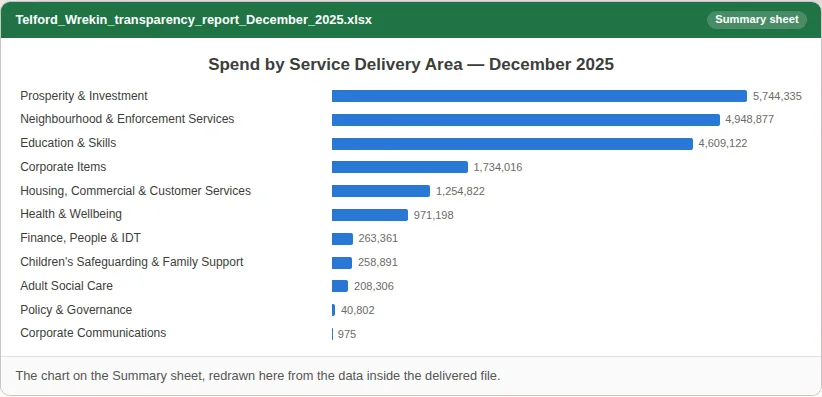
Accountants & auditors
Clean a council’s spend data, summarise it and test it for duplicates
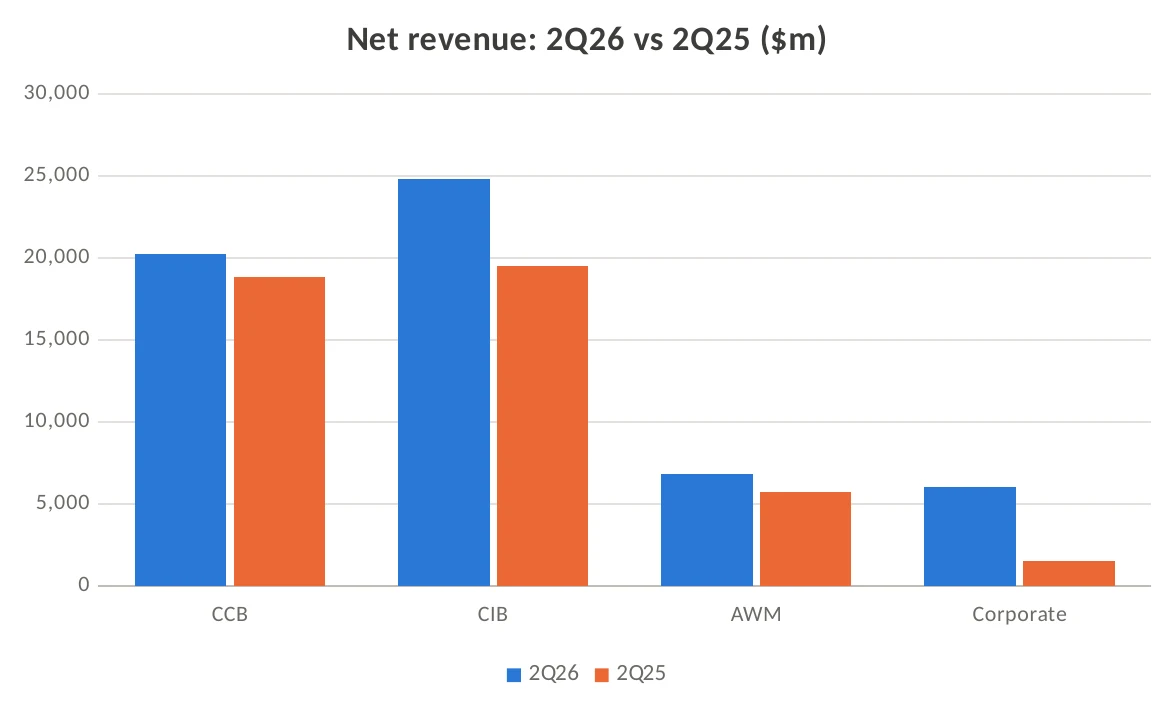
Bankers & Consultants
Earnings release PDF to Excel, with YoY formulas and a chart
Marketing & communications
Scanned 1983 NASA press kit redacted, then partly un-redacted
See all 19 worked examples →All examples for Accountants & auditors →