Convert a scanned PDF table into a real spreadsheet
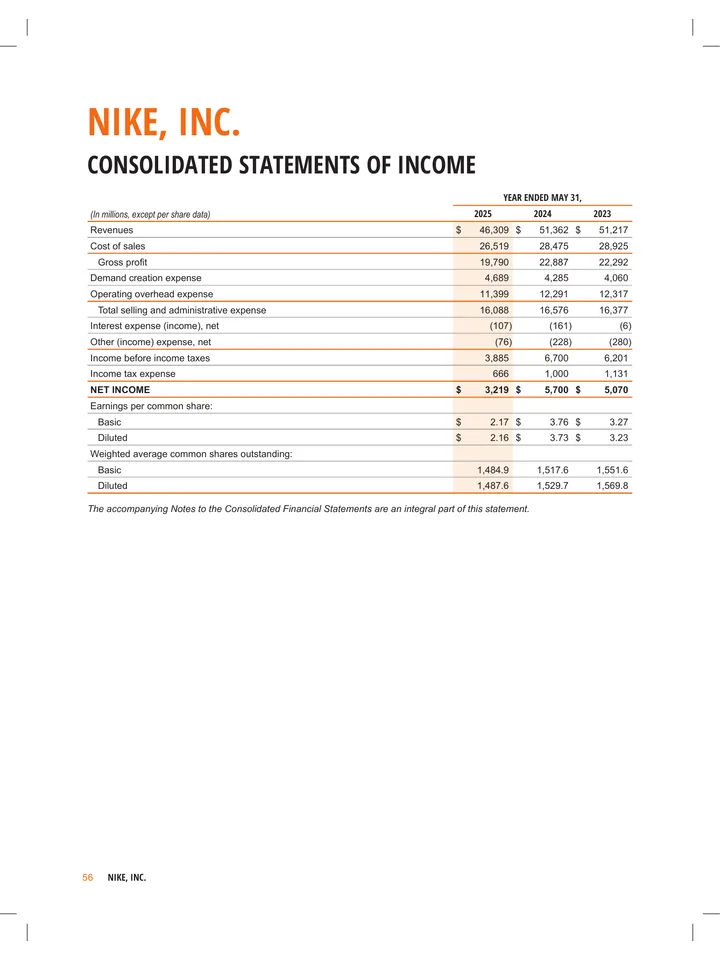
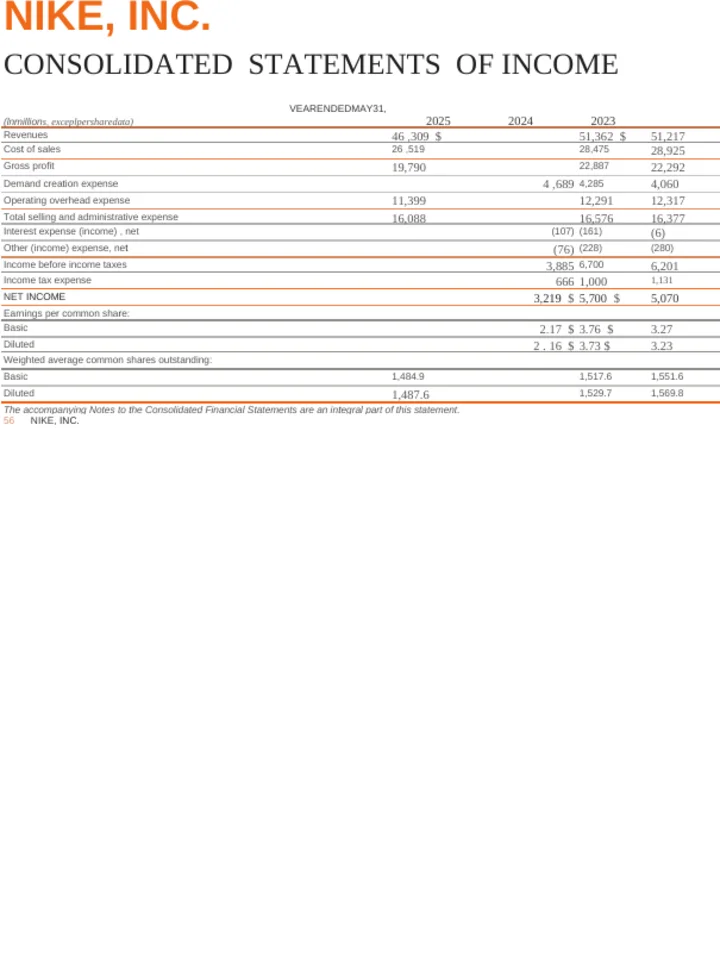
Upload a scanned PDF — text recognition runs on its own when there is no text layer.
Common questions
Will the numbers land in real cells?
Yes. The table is rebuilt as a spreadsheet with one value per cell, not pasted in as a picture. You can sort it, total it and chart it straight away.
Should I check the figures afterwards?
Yes, always. Every number here came from reading a picture of a page, and a smudged 3 can be read as an 8. Recognition is very good and it is not a guarantee — check the totals before you rely on them.
Do I need to turn OCR on?
No. Every PDF is checked first and text recognition runs by itself when there is no text layer. For a spreadsheet it also runs whenever the export would otherwise stall on a page too sparse to read.
Can I keep editing the spreadsheet here afterwards?
No, and this is worth knowing before you start. A spreadsheet is the end of the line for us: we can convert to it, but we cannot then translate or rewrite it for you. If you want to work on the content as well, convert to Word instead and go to Excel last.
Why does it take longer than an ordinary conversion?
Because every page is read as an image before the spreadsheet is built. That is real work, and it is the reason a scan takes longer than a PDF that already has text in it.
What makes a scan convert well?
A straight, high-resolution scan with the ruled lines still visible. The lines are what tells the columns apart, so a faint or skewed scan loses column structure before it loses the digits.
How long can the PDF be?
Up to 10 MB per file. Documents longer than 20 pages are processed up to their first 20 pages — 100 on a paying account — and the result tells you when that limit was applied.
What happens to a page that is not a table?
Ordinary prose comes across as rows of text rather than being thrown away. If your PDF is mostly writing with one table in it, converting to Word will read better.
Do you watermark the result?
No. There is no watermark on a converted file at any account level.
Do I need an account?
No. Your first conversion runs without signing up.