Redact a Word document and keep it editable
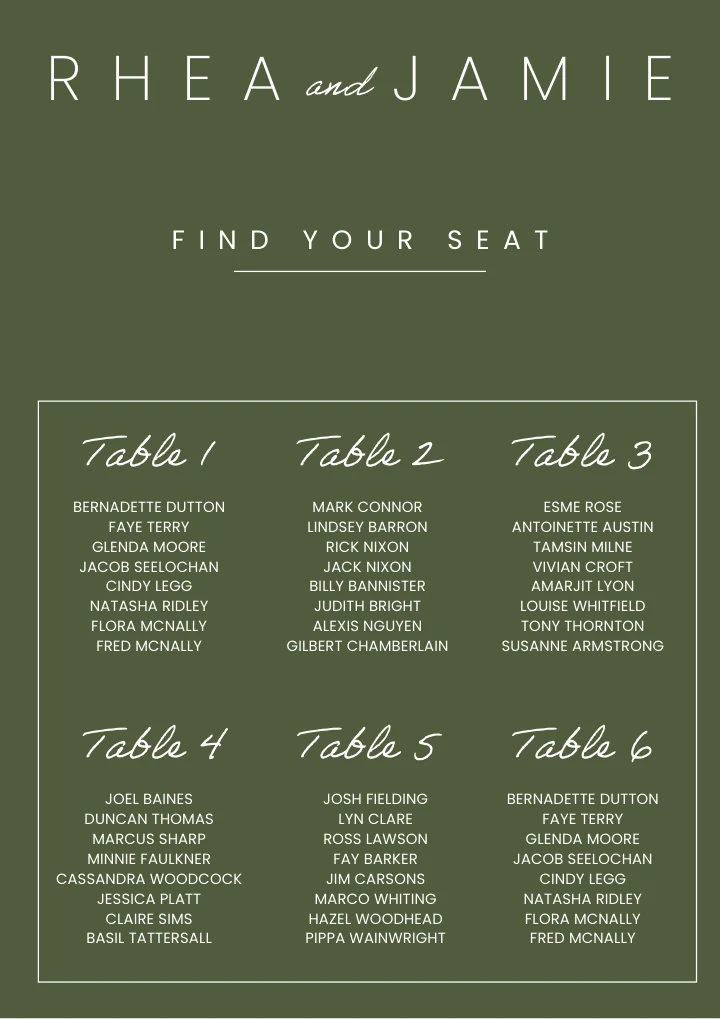
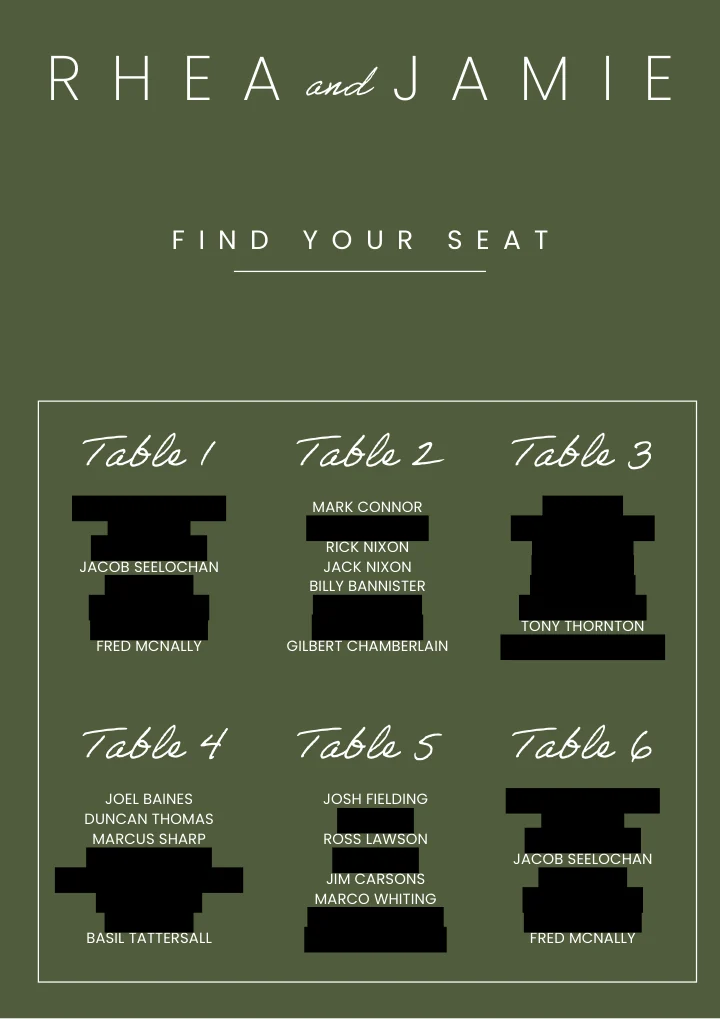
Change the underlined words to anything — a rule, an exception, a page range.
Common questions
Is highlighting text in black the same as redacting it?
No, and it is the most common way a Word document leaks. Black highlighting, white text on a white background and a black shape dragged over a paragraph all leave the original characters in the file — they are still selectable, still findable with Ctrl+F, and still sitting in the document XML for anyone who unzips it. Here the text is replaced before the document is rebuilt, so there is nothing underneath to find.
Does the formatting survive?
Yes. Only the parts that matched your rule are rewritten; every other paragraph, table cell, heading, header and footer is copied through untouched. Styles, numbering and page layout come back as they were, and the file is still a normal Word document you can keep editing.
Can it redact everything except certain names?
Yes, and this is the thing the highlighter cannot do. "Redact every personal name except the claimant and her solicitor" is a valid instruction, because the model reads the document and works out which names those are. So is "keep the company names and remove the individuals", or "redact the salaries but leave the job titles".
Can I redact just part of the document?
Yes. Say which pages — "only on pages 3 to 9" — or which parts, such as "in the appendix only" or "everywhere except the signature block". You can also run it again on the result to tighten a rule that caught too much or too little.
Does it redact headers, footers, footnotes and text inside tables?
Yes. Those are where hand redaction usually misses something, because they are not in the reading flow — a name in a running header repeats on every page and gets skipped every time. Text boxes and table cells are covered too. Text that is part of an image is not, because there is no text there to remove.
Does it remove personal data for GDPR or a subject access request?
Yes — pick "every piece of personal data" and it goes after names, addresses, phone numbers, email addresses, dates of birth, identification numbers and account details in one pass rather than one pass per pattern. For a DSAR the usual instruction is to redact everyone except the requester, and you can write exactly that.
Can I anonymise interview transcripts or research data?
Yes. De-identifying transcripts is the same job in different words: participant names, institutions, place names and anything else that would identify someone, applied identically across every file. Ask it to keep the speaker labels consistent if you still need to tell participants apart afterwards.
How many pages will it redact?
Up to 8 pages without a paying account — the same whether you have registered or not — and up to 100 pages on a paying account. A longer document is redacted up to that many pages and the result tells you where it stopped, so nothing is silently left in.
Do you watermark a redacted document?
No. A redacted document goes out clean at every account level. An unexpected link in the header of a disclosure bundle is not a marketing opportunity.
What happens to my file afterwards?
It stays in the conversation you created it in, so you can carry on working on it without uploading it again. When you are finished there is a Remove All Files button on the result itself that deletes the upload and everything produced from it in one click.
Do I need an account?
No. Your first redaction runs without signing up. An account keeps the conversation so you can come back to the document later.