Redact a PowerPoint — black out names on every slide
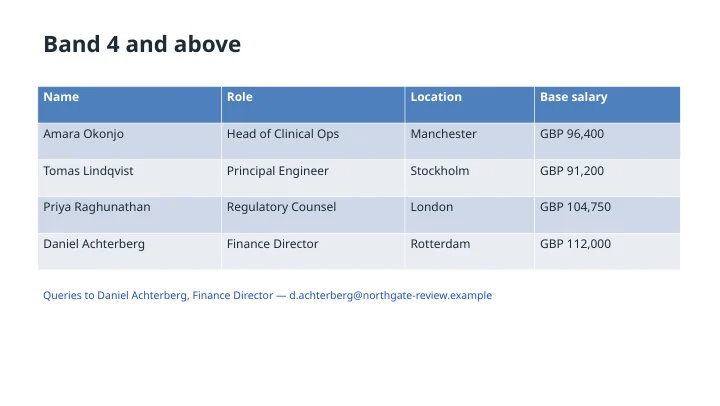
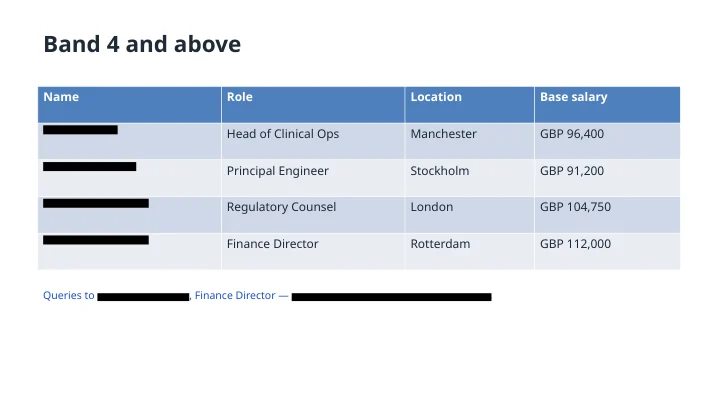
Change the underlined words to anything — a rule, an exception, a slide range.
Common questions
Does PowerPoint have a redaction tool?
No, and that is why decks leak. The usual workaround is to drag a black rectangle over a name, which leaves the text sitting underneath it — anyone can drag the shape aside, or open the outline view, or unzip the file and read it. Here the text itself is replaced and the deck is rebuilt around the replacement, so there is nothing left under the bar.
Does it find names inside tables, charts and speaker notes?
Tables and text boxes yes, including the ones stacked on top of a diagram, which is where hand redaction usually misses one. Chart labels and text baked into an image are not touched, because there is no text there to remove — if a name only exists as part of a picture, take the picture out.
Does the design survive?
Yes. Only the runs that matched your rule are rewritten; every other shape, position, font, colour and animation is copied through untouched. Slide masters and layouts are not disturbed, and the result is a normal PPTX you can carry on editing.
Can it redact everything except certain names?
Yes, and no shape tool can. "Redact every personal name except the two presenters" is a valid instruction, because the model reads the deck and works out which names those are. So is "keep the client name and remove the individuals", or "black out the salaries but leave the job titles".
Can I redact only some slides?
Yes. Say which — "only slides 4 to 12", or "everywhere except the title slide". You can also run it again on the result to widen or narrow a rule that caught too little or too much.
Does it remove personal data for GDPR or a subject access request?
Yes — pick "every piece of personal data" and it goes after names, addresses, phone numbers, email addresses, dates of birth, identification numbers and account details in one pass rather than one pass per pattern. For a DSAR the usual instruction is to redact everyone except the requester, and you can write exactly that.
Can I send the redacted deck out as a PDF?
Yes. Ask for it in the same conversation and you get a PDF of the redacted deck, with the redactions already part of the text rather than shapes drawn on top of it.
How many slides will it redact?
Up to 8 slides without a paying account — the same whether you have registered or not — and up to 100 slides on a paying account. A longer deck is redacted up to that many slides and the result tells you where it stopped, so nothing is silently left in.
Do you watermark a redacted deck?
No. A redacted document goes out clean at every account level.
What happens to my file afterwards?
It stays in the conversation you created it in, so you can carry on working on it without uploading it again. When you are finished there is a Remove All Files button on the result itself that deletes the upload and everything produced from it in one click.
Do I need an account?
No. Your first redaction runs without signing up. An account keeps the conversation so you can come back to the deck later.