Convert an image into editable PowerPoint slides
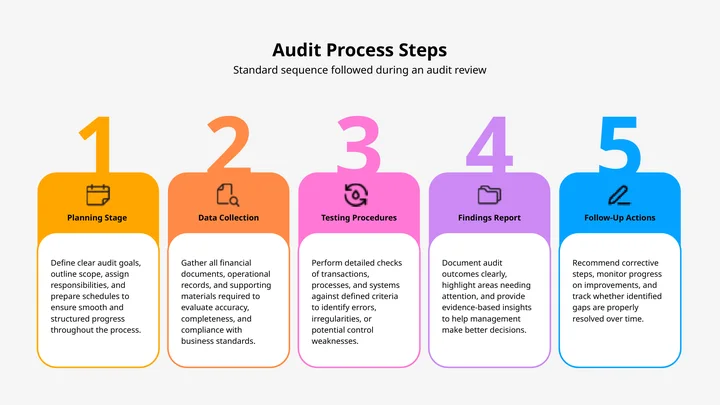
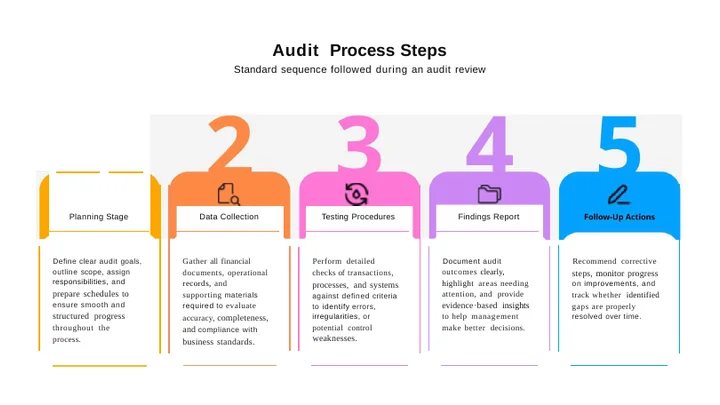
Upload a photo or a screenshot — text recognition runs automatically.
Common questions
Will the slide text be editable?
Yes. Text recognition rebuilds the words as real PowerPoint text you can select, retype and restyle. It does not paste your picture onto a blank slide.
Do I need to turn OCR on?
No. An image has no text layer at all, so text recognition always runs for this conversion.
Does it recreate my original theme and animations?
No, and this is the one thing worth knowing first. What comes back is the content — the text and the pictures — as ordinary editable slides. Fonts, the slide master and any animation from the original deck cannot be recovered from a flat image, so expect to apply your own theme afterwards.
What image formats can I upload?
JPG, JPEG, PNG, TIFF, BMP and WebP, up to 10 MB per file.
How good does the photo need to be?
A straight, evenly lit shot converts far better than an angled or shadowed one. Printed text is the reliable case; handwriting and very small type should always be checked afterwards.
Can I get Word or a spreadsheet instead?
Yes. Change the underlined word in the sentence above to pick a different output format.
Do you watermark the result?
No. There is no watermark on a converted file at any account level.
Do I need an account?
No. Your first conversion runs without signing up.