Turn a photo of a table into a real spreadsheet
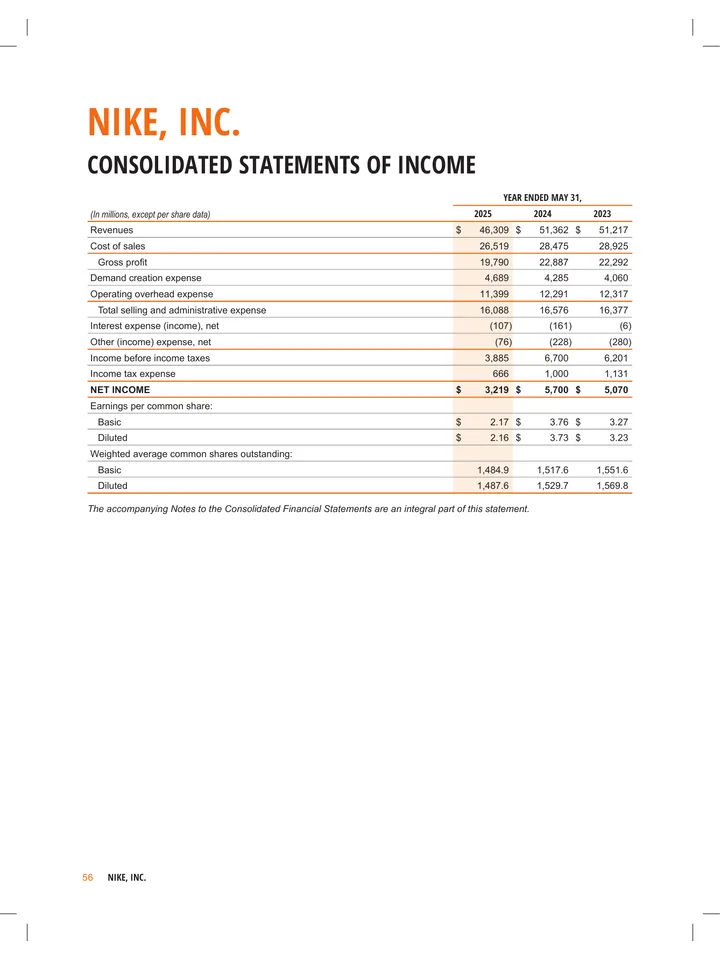
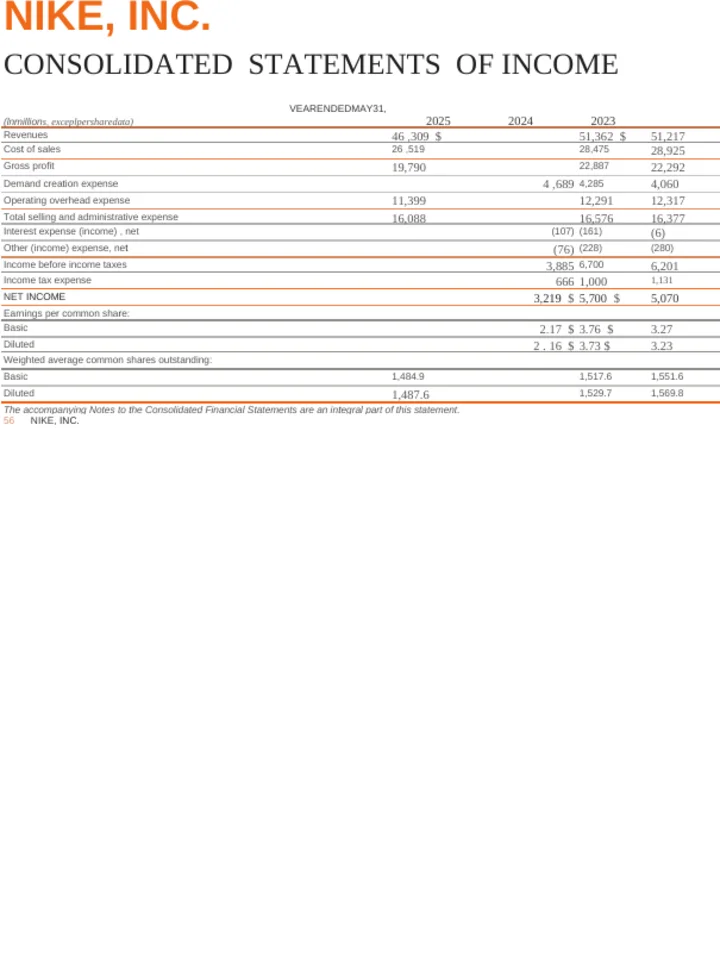
Photograph or screenshot a table — text recognition runs automatically.
Common questions
Will the numbers land in real cells?
Yes. The table is rebuilt as a spreadsheet with one value per cell, not pasted in as a picture. You can sort it, total it and chart it straight away.
Should I check the figures afterwards?
Yes, always. Every number here came from reading a photograph, and a smudged 3 can be read as an 8. Recognition is very good and it is not a guarantee — check the totals before you rely on them.
Can I keep editing the spreadsheet here afterwards?
No, and this is worth knowing before you start. A spreadsheet is the end of the line for us: we can convert to it, but we cannot then translate or rewrite it for you. If you want to work on the content as well, convert to Word instead and go to Excel last.
Do I need to turn OCR on?
No. An image has no text layer, so text recognition always runs for this conversion.
What makes a photo convert well?
Shoot square to the page rather than at an angle, get even light with no shadow across the table, and keep the ruled lines visible — they are what tells the columns apart.
What image formats can I upload?
JPG, JPEG, PNG, TIFF, BMP and WebP, up to 10 MB per file.
What happens to the parts that are not a table?
Ordinary text around the table comes across as rows rather than being thrown away. If your picture is mostly writing with one table in it, converting to Word will read better.
Do you watermark the result?
No. There is no watermark on a converted file at any account level.
Do I need an account?
No. Your first conversion runs without signing up.